
WhatsApp is live in Nedzo. Your AI agent now answers WhatsApp messages the same way it answers texts, and every chat lands in Unibox next to your calls and SMS. Workflows can send WhatsApp messages too, and you can create WhatsApp templates right inside Nedzo.
We shipped more the same day. Your AI saves caller names as it talks and backs off when a chat turns abusive. You can also reuse custom actions across agents, send HTML emails, drag steps around in workflows and clean up your tags.
A WhatsApp AI agent for your business
Lots of your customers would rather send a WhatsApp than call. If nobody answers there, they message the next business on the list. Now your AI agent picks up those chats.
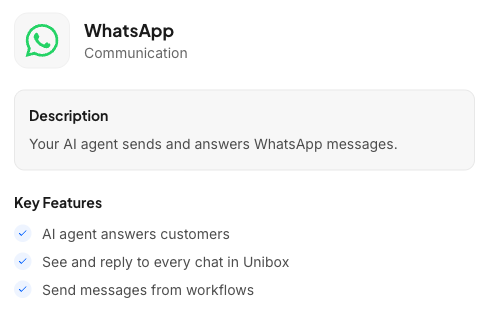
With WhatsApp connected:
- WhatsApp messages show up in Unibox conversations
- Your AI agent replies on its own, the same way it replies to SMS
- You can jump in and reply by hand from Unibox
- Workflows get a Send WhatsApp action
- Your AI agent can send a WhatsApp message during a conversation
- You see whether each message was sent, delivered or failed
You need a WhatsApp Business Account and a number that has WhatsApp turned on. WhatsApp also requires an approved template for the first message you send to someone. Nedzo gives you a default template so you can start right away.
Create WhatsApp templates inside Nedzo
WhatsApp has a 24-hour rule. Once 24 hours pass since a customer's last message, you can't send them a free-form message. You need an approved template. Before, you had to build that template in an outside console and copy its ID back into Nedzo.
Now your WhatsApp settings have a Templates section. Click to create a new template and fill in:
- A name
- The message text, with spots for details like {{1}} and {{2}}
- The language
- The type, like plain text, quick reply or call to action
- Sample values, which WhatsApp needs before it approves the template
A new template shows up in the list as pending. The list shows each template's status, so you know which ones are approved, pending or rejected. You can delete the ones you don't need. New templates are ready to pick in your WhatsApp actions right away.
Your AI saves caller names while it talks
A caller says "Hi, this is Sarah Mitchell." Before, that name sat in the conversation and your contact record stayed blank.
Now your AI saves the first and last name to the contact the moment the person says it. It works on calls and chats. It only fills empty fields, so it never writes over a name you already have. The AI doesn't announce it, so the caller never knows. You have nothing to set up.
Your AI backs off when a chat turns abusive
Some customers swear at you. You don't want a bot replying to that.

Nedzo now checks every incoming chat message on SMS, web chat, email, WhatsApp, Messenger and Instagram. When a message has profanity, Nedzo flags the chat in Unibox, shows a banner in the conversation and pauses the AI so it stops replying.
Then you decide what happens next. You can reply yourself or unpause the AI. Nedzo never deletes the message, so you still see exactly what the customer wrote.
Build a custom action once, use it on every agent
Before, each agent needed its own copy of a custom action. Five agents meant building the same CRM webhook five times, and changing it five times too.
Now custom actions belong to your whole workspace. On any agent, you pick an action you already built or make a new one, the same way you add knowledge. Edit a shared action once and every agent that uses it gets the change.
Send HTML emails from your workflows
The workflow email step used to be a small plain text box. You couldn't add a link, bold a word or send anything that looked like your brand.
Now it has a rich text editor with bold, italic, underline, links, lists, headings, quotes, images by URL, and undo and redo. The box is much taller too, and you can check how the email looks before you save.
Got an email template you designed in another tool? Switch to HTML mode and paste it in. Your variables, like {{contact.firstName}}, work in both modes. Nedzo also sends a plain text copy for inboxes that don't show HTML. Your old plain text emails keep working as they are.
Drag and drop in the workflow builder
Moving a step used to mean deleting it and building it again from scratch, settings and all.
Now you grab any action step and drag it. Drop spots light up while you move. Let go on one and the step moves with its settings intact. Let go anywhere else and nothing changes. The trigger stays where it is, at the start of the flow.
Manage your contact tags in one place
Tags pile up, and until now you had no single place to clean them up. The Custom Fields page is now called Custom Fields & Tags and has two tabs. On the Tags tab, you create, rename and delete tags.
It's live in your account now.