
Your Nedzo AI agent now answers Instagram DMs and Facebook Messenger chats, day or night. The chats land in the same inbox as your calls, texts and email. You see every thread in one place, and you can jump in any time.
We also shipped an inbound webhook trigger, so any app can now start a Nedzo workflow.
AI replies for Instagram DMs
A lot of your leads will never pick up the phone. They send a DM instead.
Say you run a salon. You post a before and after photo on Sunday night. Three people DM you to ask the price. Nobody answers until Monday, and by then two of them booked somewhere else.
Now your Nedzo agent answers those DMs as they come in. A message at 11pm on Sunday gets the same fast reply as one at noon on Tuesday.
Every Instagram chat lands in Unibox, next to your other channels. You can read the thread, reply by hand and send images. Each message shows if it was sent, delivered or read.
How to set it up
You need an Instagram Business or Creator account linked to a Facebook Page. Open the integrations page in Nedzo and connect with Facebook Login. New DMs show up in Unibox, and your AI agent can reply.
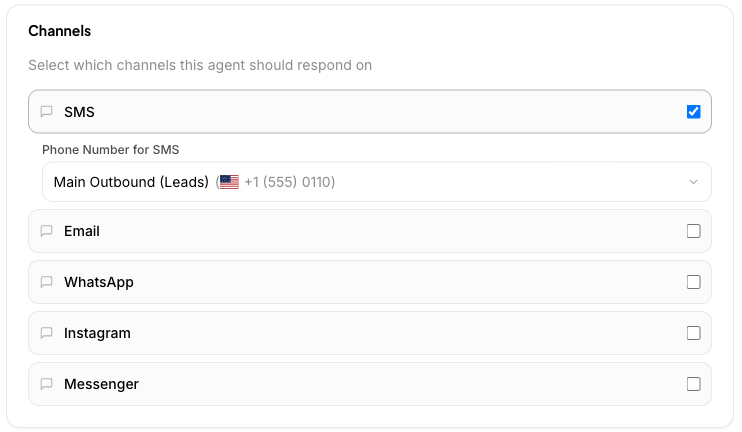
Need to switch accounts? You can disconnect and reconnect from the same page.
A Facebook Messenger AI chatbot for your Page
Someone messages your Facebook Page at 9pm. Nobody sees it until morning, and by then they moved on.
Messenger now works the same way as Instagram. Connect your Page with Facebook Login. Chats sent to your Page land in Unibox, and your AI agent replies on its own, at any hour.
Messenger chats can carry images and attachments, plus the quick reply buttons people tap in the chat. You see sent, delivered and read on every message.
Workflows that run on DM replies
Both channels plug into workflows. When a contact replies on Instagram or Messenger, that reply can start a workflow. So a DM can kick off the same follow-up you already run for texts and calls.
Start any workflow from an inbound webhook
Your leads come from lots of places, like your website form, your booking tool and your CRM. Until now, those apps had no way to tell Nedzo to start.
The new Inbound Webhook trigger gives a workflow its own web link. When another app sends data to that link, the workflow runs.
Here is how it plays out. A lead fills out the form on your site. Your form tool sends their details to the link, and Nedzo starts the workflow right away. Every field from the form is ready for the next steps, so your first text can greet the lead by name.
How it works
- Add the Inbound Webhook trigger to a workflow in the builder.
- Nedzo makes a unique link for that workflow. Copy it.
- Paste the link into your other app and publish the workflow.
Every run shows up in the Executions tab. You see its status, the data that came in and a step by step timeline of each action that ran.
If you unpublish or delete the workflow, the link stops working.
It's live in your account now.